
Get Answers
The Importance of Discussing Online Interactions with Children
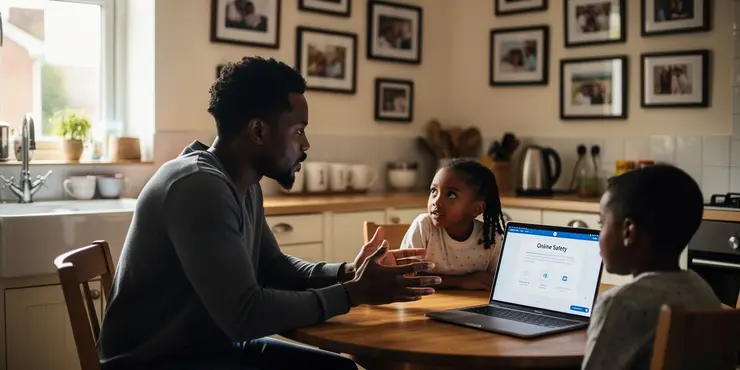
In today's digital age, children are growing up with unprecedented access to the internet. This connectivity offers many benefits, but also comes with risks. Parents and carers must talk to children about their online interactions to help them navigate this digital landscape safely.
Engaging in these discussions ensures that children understand both the opportunities and dangers of the internet. It is crucial that they develop the skills to interact responsibly online. Being proactive about these conversations can prevent problems before they arise.
Understanding Digital Footprint
Every online interaction leaves a trace, known as a digital footprint. It is vital for children to understand that what they post online can remain there indefinitely. This knowledge encourages them to think before they post.
Teaching children about digital footprint helps them manage their online reputation. It is important for their future education and employment prospects. Encouraging positive online behaviour can lead to a healthier internet experience.
Addressing Online Safety
Online safety is a primary concern for parents and carers. Educating children about privacy settings and secure platforms is essential. Regular conversations can empower them to make safer choices online.
Children should know the importance of protecting personal information. They need to understand the risks of sharing too much online. Through discussions, they can learn to identify and avoid potential threats.
The Role of Social Media
Social media is a significant part of many children's lives. It is important to discuss how to engage positively and respectfully on these platforms. Awareness of the impact of their interactions is key.
Parents and carers can guide children in recognising online bullying and understanding its consequences. Encouraging empathy and respect online fosters a supportive digital community. This guidance helps children build healthier social lives both online and offline.
Encouraging Open Communication
An open dialogue about online interactions builds trust. Children should feel comfortable sharing their online experiences. This openness allows parents and carers to provide guidance when necessary.
It is beneficial for parents to listen actively to their children's concerns and experiences. Providing a safe space for these conversations can lead to better outcomes for children navigating the digital world. Regular check-ins can reinforce positive behaviours and address any issues early.
Conclusion
Talking to children about their online interactions is crucial in the digital age. These discussions equip them with the knowledge to handle online challenges effectively. Prioritising these conversations can lead to more informed, resilient, and responsible digital citizens.
By fostering open communication, parents and carers help children develop a healthy relationship with the internet. This proactive approach to online safety benefits them now and in the future. It is imperative for guiding their journey in the ever-evolving digital world.
Frequently Asked Questions
It's important to help them understand the risks and benefits, promote safe behavior, and encourage open communication.
Conversations can start as soon as they begin using digital devices, with age-appropriate guidance.
Discussion can help build their awareness of dangers like cyberbullying and privacy issues, enabling them to act safely.
Cover topics like privacy, cyberbullying, digital footprint, communication with strangers, and critical thinking about information.
Regularly, as technology and their online activities evolve, to ensure they remain informed and safe.
Create a non-judgmental and open environment, reassure them of support, and listen actively to their concerns.
Children may be more vulnerable to cyberbullying, privacy breaches, or exposure to inappropriate content.
Model good behavior, discuss appropriate actions, and highlight the importance of respect and kindness.
Understanding privacy settings and the importance of protecting personal information is crucial for safety.
Yes, by teaching children how to recognize, respond to, and report cyberbullying, you can help prevent it.
Explore these platforms yourself, seek parent guides, and ask your child to explain how they use them.
Guide them to understand the situation calmly, use parental controls, and report or block offending content.
It builds critical thinking, decision-making skills, and awareness, empowering them for responsible online presence.
Use interactive tools, games, and relatable scenarios to teach online safety in an engaging manner.
Respect their privacy while encouraging openness and showing interest in a non-intrusive way.
Establish clear, consistent rules and discuss them with your child to ensure understanding and cooperation.
They learn the long-term impact of their online actions and the importance of managing their digital reputation.
Yes, teaching children how to discern credible sources and question information is vital for informed internet use.
Encourage a healthy balance by setting screen time limits and promoting offline hobbies and interactions.
Strangers may pose risks such as inappropriate contact or exploitation; children should know how to handle such scenarios.

Ergsy Search Results
This website offers general information and is not a substitute for professional advice.
Always seek guidance from qualified professionals.
If you have any medical concerns or need urgent help, contact a healthcare professional or emergency services immediately.
Some of this content was generated with AI assistance. We've done our best to keep it accurate, helpful, and human-friendly.
- Ergsy carefully checks the information in the videos we provide here.
- Videos shown by Youtube after a video has completed, have NOT been reviewed by ERGSY.
- To view, click the arrow in centre of video.
- Most of the videos you find here will have subtitles and/or closed captions available.
- You may need to turn these on, and choose your preferred language.
- Go to the video you'd like to watch.
- If closed captions (CC) are available, settings will be visible on the bottom right of the video player.
- To turn on Captions, click settings.
- To turn off Captions, click settings again.