
Speak To An Expert
Get clear, personalised advice for your situation.
Jot down a few questions to make the most of your conversation.
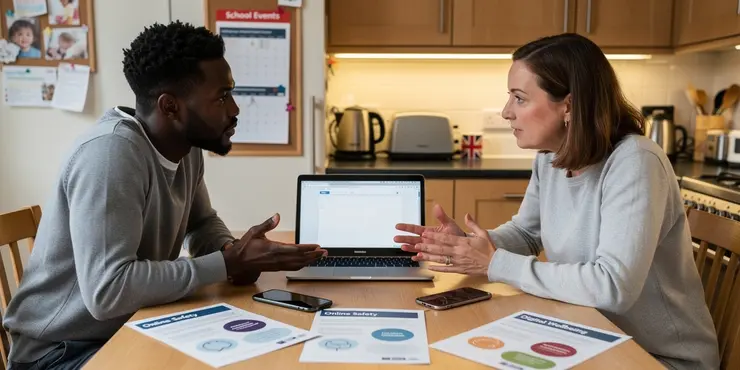
Introduction to Online Safety for Parents
In today's digital age, children's online safety is a top concern for parents. From navigating social media to protecting personal information, there are numerous challenges. Implementing effective online safety measures is crucial for peace of mind.
Understanding the online landscape is the first step. Parents need to be aware of the platforms their children use and the potential risks involved. This foundational knowledge helps in tailoring specific safety measures for each child.
Establish Clear Communication
Open communication is vital for fostering trust between parents and children. Encourage your children to talk about their online experiences and any concerns they might have.
Set regular times to discuss online safety and stay informed about their favorite platforms. This constant dialogue helps ensure children feel comfortable reaching out if issues arise.
Utilise Parental Control Tools
Parental control tools are essential for managing and monitoring children's online activities. These tools can help filter inappropriate content and set limits on screen time.
Most devices and internet providers offer built-in parental controls. Familiarise yourself with these features to tailor settings according to your child's age and maturity level.
Educate Children on Privacy
Teaching children about online privacy is crucial. Explain the importance of protecting personal information, such as their address, phone number, and school details.
Encourage them to use privacy settings on social media platforms. It's also important to remind them about the risks of sharing too much information publicly.
Monitor Social Media Activity
Social media platforms can be a source of both fun and risk. Regularly review your child's social media profiles and ensure they understand the importance of setting their profiles to private.
Discuss with them the types of content that are appropriate to share and which might invite unwanted attention or pose risks.
Encourage Responsible Online Behaviour
Fostering responsible online behaviour is key to safe internet usage. Discuss ethical online practices, such as treating others with respect and understanding the consequences of cyberbullying.
Encouraging critical thinking helps children assess the credibility of information and sources, which is vital in combating misinformation online.
Seek External Resources and Support
Parents need not navigate online safety alone. Utilise resources from UK-based organisations like the UK Safer Internet Centre and Childnet for guidance and support.
These organisations offer valuable advice and tools tailored for different age groups, helping parents stay updated on the latest online safety strategies.
Frequently Asked Questions
Parents should start by educating themselves about the online platforms their children use and set up privacy controls and parental controls as necessary.
It's crucial to have ongoing conversations with children about online safety to help them understand risks and encourage open communication about their internet experiences.
Popular parental control software includes Qustodio, Norton Family Premier, and Net Nanny. Each has different features, so parents should choose based on their needs.
Use parental control apps, check browser history, and set rules around device usage times and locations.
Parents should discuss appropriate content, privacy settings, and the importance of not sharing personal information on social media platforms.
Install browser extensions or use safe search engines designed for kids, and regularly update software to avoid security vulnerabilities.
Parents should encourage open dialogue about experiences and emotions, know how to report and block users on platforms, and keep records of any incidents.
Parents may choose to keep passwords for younger children but should aim to cultivate honesty and trust around internet use as they grow older.
Create a family internet plan that includes rules and expectations for when and where devices can be used by different family members.
Parental controls can restrict gaming content, limit game time, and prevent in-app purchases, ensuring age-appropriate gaming.
Research apps before download, check app ratings and reviews, look for red flags like requests for unnecessary permissions, and discussion on parental forums.
Use built-in device settings or third-party apps to limit screen time, and make a family agreement on daily device time.
Teach children that everything they post online creates a digital footprint, which can impact their reputation now and in the future.
Ensure privacy settings on social media, devices, and browsers are set to the highest levels, limiting who can view personal information.
Yes, browsers like Kiddle, KidzSearch, and Safe Search Kids are designed to filter inappropriate content for children.
Children should never share personal information such as addresses, phone numbers, or school names online.
Teach children to recognize common scams, such as phishing emails or fake offers, and encourage them to seek help immediately if targeted.
Signs include withdrawal from offline activities, irritability when not online, and a decline in academic performance.
Designating areas like bedrooms and dinner tables as technology-free zones can encourage more face-to-face family interaction.
Remain calm, discuss the encounter without judgment, and use the opportunity to reinforce safe browsing habits and settings adjustments.

Ergsy Search Results
This website offers general information and is not a substitute for professional advice.
Always seek guidance from qualified professionals.
If you have any medical concerns or need urgent help, contact a healthcare professional or emergency services immediately.
Some of this content was generated with AI assistance. We've done our best to keep it accurate, helpful, and human-friendly.
- Ergsy carefully checks the information in the videos we provide here.
- Videos shown by Youtube after a video has completed, have NOT been reviewed by ERGSY.
- To view, click the arrow in centre of video.
- Most of the videos you find here will have subtitles and/or closed captions available.
- You may need to turn these on, and choose your preferred language.
- Go to the video you'd like to watch.
- If closed captions (CC) are available, settings will be visible on the bottom right of the video player.
- To turn on Captions, click settings.
- To turn off Captions, click settings again.