
Get Answers
Understanding HMRC Penalty Points
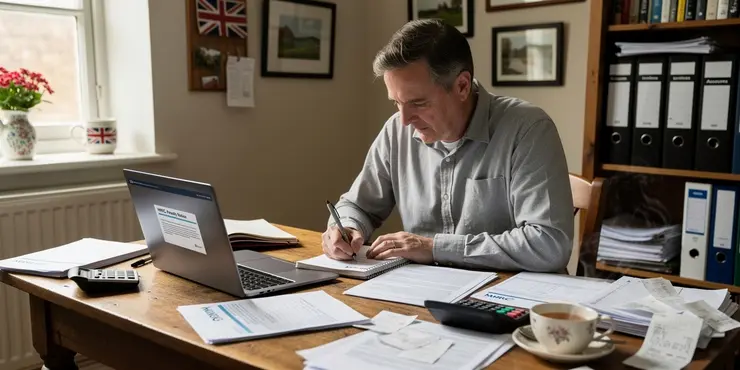
HM Revenue and Customs (HMRC) may issue penalty points to businesses that fail to meet their tax obligations. This is part of their efforts to ensure compliance with tax regulations. It's crucial for businesses to keep track of these points to avoid penalties.
The penalty points system applies to various taxes, and accumulating enough points can lead to fines and increased scrutiny. This article will guide you through how HMRC informs you about these penalty points.
Notification Through Digital Channels
HMRC primarily uses digital methods to keep taxpayers informed about penalty points. They often communicate through email, so it's important to ensure your contact details are up to date in the HMRC system.
Taxpayers who have signed up for digital accounts may receive notifications directly through their online portal. These platforms provide details on penalty points and any next steps you need to take.
Understanding Your Penalty Notice
When a penalty point is issued, you will receive a formal notification from HMRC. This notice explains the reason for the points and any potential penalties you may face.
The notice will include information on how you can appeal the decision if you believe it has been issued in error. Understanding these notices is key to managing your tax responsibilities effectively.
The Importance of Timely Responses
Once you receive a penalty point notification, it’s crucial to address it promptly. Ignoring such notices can lead to additional penalties and further action from HMRC.
Timely responses can sometimes result in reduced fines or the resolution of misunderstandings. It’s always in your best interest to engage with HMRC as soon as possible after receiving a notification.
How to Appeal a Penalty Decision
If you believe a penalty has been wrongly applied, HMRC allows you to appeal. The appeal process is straightforward and details for how to begin are included in your penalty notice.
During an appeal, make sure to provide any supporting documentation that backs up your claim. This helps HMRC reassess the situation and potentially remove the points if your appeal is successful.
Maintaining Accurate Records
Keeping accurate records is essential to managing tax obligations smoothly. Good record-keeping helps avoid unnecessary penalties and makes it easier to handle any queries from HMRC.
Regularly review your tax submissions and correspondence with HMRC to ensure there are no surprises. This proactive approach can prevent the accumulation of penalty points.
Frequently Asked Questions
Penalty points are part of the UK's penalty system for late tax submissions, used to encourage timely filing.
HMRC informs you about penalty points through an official letter or notice sent to the registered address or via your online tax account.
HMRC does not typically send emails about penalty points, as they prefer secure methods like physical letters or notifications in your online account.
It is unlikely for HMRC to inform about penalty points via phone call due to privacy concerns; they generally use written communication.
Yes, you can check any penalty points via your personal tax account on the HMRC website.
The notification will detail the reason for the penalty, the number of points issued, and any relevant deadlines you must meet to avoid further penalties.
Yes, HMRC can send penalty notifications related to various taxes, including income tax, VAT, and corporation tax.
HMRC updates penalty points whenever a new penalty is applied or removed following compliance or successful appeal.
If you disagree with the penalty, you can contact HMRC to discuss it or formally appeal using the instructions provided in your notification letter.
The time it takes to receive a notification can vary, but HMRC typically sends these promptly after identifying a compliance issue.
HMRC may send notifications to authorized representatives or agents if you have granted them permission to handle your tax affairs.
Ensure it is from a gov.uk email or postal address. HMRC's official communications contain your unique taxpayer reference (UTR) or National Insurance number.
Yes, they often include deadlines for rectification to avoid additional penalties.
Yes, you can contact the HMRC helpline for assistance if you have questions about penalty points.
No, HMRC penalty points do not directly affect your credit score.
Ignoring a penalty notification can result in additional fines and legal action, so it's important to address them promptly.
Yes, both individuals and businesses can receive penalty points if they fail to comply with tax filing obligations.
A reasonable excuse might include serious illness, a family bereavement, or unforeseen postal delays, but you must inform HMRC as soon as possible.
In some cases, HMRC may issue a warning or reminder before penalty points, but it's important to adhere to filing deadlines to avoid penalties.
Yes, if you successfully challenge them or meet compliance criteria, penalty points might be removed from your record after a certain period.

Ergsy Search Results
This website offers general information and is not a substitute for professional advice.
Always seek guidance from qualified professionals.
If you have any medical concerns or need urgent help, contact a healthcare professional or emergency services immediately.
Some of this content was generated with AI assistance. We've done our best to keep it accurate, helpful, and human-friendly.
- Ergsy carefully checks the information in the videos we provide here.
- Videos shown by Youtube after a video has completed, have NOT been reviewed by ERGSY.
- To view, click the arrow in centre of video.
- Most of the videos you find here will have subtitles and/or closed captions available.
- You may need to turn these on, and choose your preferred language.
- Go to the video you'd like to watch.
- If closed captions (CC) are available, settings will be visible on the bottom right of the video player.
- To turn on Captions, click settings.
- To turn off Captions, click settings again.