
Get Answers
Understanding E-Filing
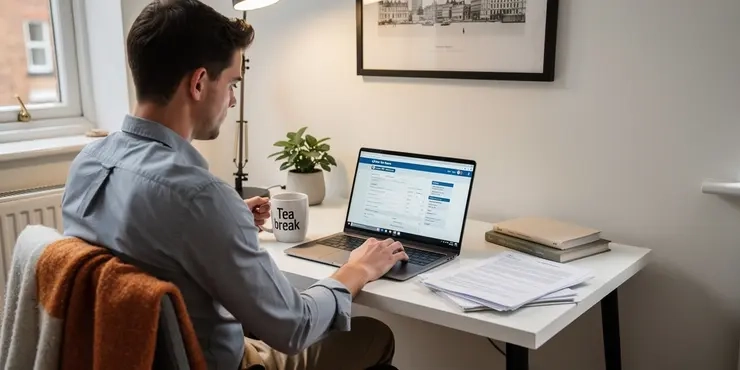
E-filing, or electronic filing, is the process of submitting documents online rather than using traditional paper forms. It is commonly used for filing tax returns, both by individuals and businesses. The UK government has been increasingly moving towards digital services, making e-filing a convenient option for taxpayers.
One significant advantage of e-filing is its efficiency. Filing documents electronically saves time and reduces the risk of errors that often occur with paper filing. E-filing also offers faster processing times, making it easier for users to comply with deadlines.
How E-Filing Works
E-filing involves the use of digital platforms provided by the government or authorised service providers. To use e-filing, individuals and businesses must first create an account on the relevant platform. This usually involves verifying their identity and providing some personal or company details.
Once registered, users can log in and complete their forms online. The system often includes checks and prompts to ensure the information submitted is correct. After submission, users typically receive a confirmation email, providing them with assurance that their documents have been successfully filed.
Benefits of E-Filing
One of the main benefits of e-filing is the convenience it offers. Users can file their documents from anywhere with an internet connection, eliminating the need to visit government offices. This flexibility is especially beneficial for those with busy schedules or limited mobility.
E-filing also supports the environment by reducing paper usage and waste. By opting for digital submissions, users contribute to more sustainable practices. Additionally, e-filing systems often provide secure data storage, protecting sensitive information from loss or damage.
Security and Privacy
Security is a major consideration when it comes to e-filing. The platforms used for e-filing implement strict security measures, such as encryption and secure servers, to protect users' data. This ensures that personal and financial information is kept confidential and safe from cyber threats.
Users are encouraged to use strong passwords and to avoid using public Wi-Fi networks when accessing e-filing services. Being cautious and informed about security practices can significantly minimize potential risks associated with online filing.
Getting Started with E-Filing in the UK
To start e-filing in the UK, individuals and businesses can visit the official government website, GOV.UK. This platform provides a wealth of resources and guidance on how to make the most of e-filing. Users can find step-by-step instructions, forms, and FAQs to help navigate the process.
Those who require additional assistance can seek the help of accountants or financial advisors who are familiar with the e-filing system. With the right support and knowledge, e-filing can be a stress-free and efficient way to manage tax obligations.
Frequently Asked Questions
E-filing is the process of submitting tax returns electronically using tax preparation software or through an online platform.
Benefits of e-filing include faster processing of tax returns, reduced errors, convenience, and quicker refunds.
Yes, e-filing is typically secure as it uses advanced encryption technologies to protect personal and financial information.
Yes, many tax preparation software providers offer free e-filing options for eligible taxpayers, such as those with simple tax returns or below a certain income level.
There are many software options available for e-filing, including TurboTax, H&R Block, TaxAct, and free options from the IRS's Free File program.
After e-filing, you will receive an email confirmation from the IRS or your tax preparer indicating whether your return was accepted or rejected.
If your e-file is rejected, you will receive an error code explaining the issue. You can typically correct the error and resubmit your return.
Most states accept e-filing, but you should check with your state’s tax authority to confirm their e-filing capabilities and procedures.
Yes, the IRS allows e-filing of amended returns for certain years using Form 1040-X.
Most common tax forms, like the 1040 series, can be e-filed. However, certain complex forms may still require paper filing.
No, you can often e-file for prior year taxes, but this option may vary depending on the tax preparation software used.
If you e-file and choose direct deposit, you may receive your refund in as little as three weeks.
Yes, you can e-file your return if you owe taxes, and schedule a payment directly from your bank account or choose other payment options.
If you encounter issues, you should consult your tax preparation software’s help resources or contact their support for assistance.
Yes, it is important to keep a copy of your e-filed return and all supporting documents for at least three years.
Yes, you can use a Self-Select PIN or adjust gross income (AGI) from your prior year return to verify your identity when e-filing.
Yes, individuals with an ITIN can e-file their tax returns, provided they meet other eligibility requirements.
The deadline for e-filing federal taxes is typically April 15, unless it falls on a weekend or holiday.
Yes, businesses can e-file tax returns, and it is often encouraged for faster processing and accuracy.
If you missed the e-filing deadline, you should file as soon as possible to avoid penalties, and you may still be able to e-file if filing a prior year return.

Ergsy Search Results
This website offers general information and is not a substitute for professional advice.
Always seek guidance from qualified professionals.
If you have any medical concerns or need urgent help, contact a healthcare professional or emergency services immediately.
Some of this content was generated with AI assistance. We've done our best to keep it accurate, helpful, and human-friendly.
- Ergsy carefully checks the information in the videos we provide here.
- Videos shown by Youtube after a video has completed, have NOT been reviewed by ERGSY.
- To view, click the arrow in centre of video.
- Most of the videos you find here will have subtitles and/or closed captions available.
- You may need to turn these on, and choose your preferred language.
- Go to the video you'd like to watch.
- If closed captions (CC) are available, settings will be visible on the bottom right of the video player.
- To turn on Captions, click settings.
- To turn off Captions, click settings again.