
Get Answers
What these websites do
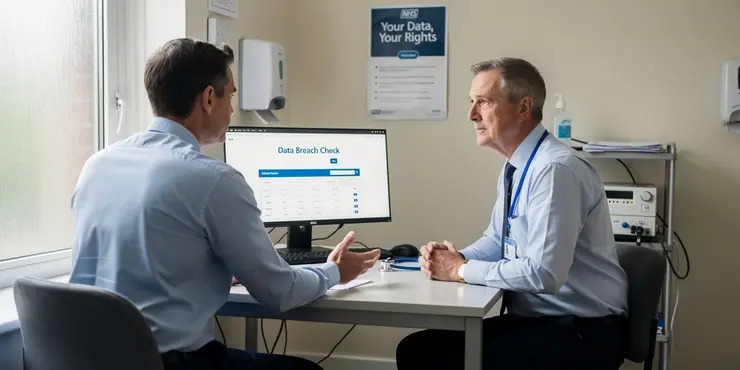
Data breach checker websites let you find out whether your email address, password, or other details have appeared in a known breach. They usually compare the information you enter with databases of leaked data. This can be a useful first step if you are worried about your online security.
Some services are run by well-known security companies, while others are less familiar. In the UK, many people use these tools after hearing about a major breach affecting a retailer, bank, or online service. They can help you spot whether you need to change passwords or take other action.
Are they safe to use?
In many cases, yes, but only if you use a trusted website. A reputable checker should not ask for sensitive details such as your full password or banking information. It should also explain clearly how it uses your data and whether it stores anything you submit.
The main risk is entering your information into a site that is not trustworthy. A poor-quality service may collect your email address for marketing, or worse, misuse the details you provide. That is why it is important to check who is behind the website before using it.
What to look for
Choose a site from a company with a strong security reputation, or one recommended by a well-known consumer or cybersecurity organisation. Look for a privacy policy and a secure web address that begins with HTTPS. These are basic signs, but they do not guarantee safety on their own.
It is also worth checking whether the service only needs your email address. If a site asks for too much personal information, that is a warning sign. A good checker should be simple, clear, and transparent about what happens to your data.
How to use them more safely
Use a separate, secure email account if you can, especially when testing an address you do not use often. Avoid entering passwords unless the site is widely trusted and specifically explains why it needs them. Even then, be cautious and never reuse the same password across multiple accounts.
After checking, change any password that may have been exposed. Turn on two-factor authentication where possible, as this adds an extra layer of protection. If a breach checker tells you your data has been leaked, treat it as a prompt to act quickly.
The bottom line
Websites that check for data breaches can be safe, but only when you choose them carefully. They are useful tools for spotting risk and improving your online security. The safest approach is to use trusted services, share as little information as possible, and follow up with stronger account protection.
For UK users, the key question is not just whether the service works, but whether it deserves your trust. If a website feels unclear, pushy, or overly nosy, do not use it. A cautious approach is the best way to stay safe online.
Frequently Asked Questions
Data breach checker websites safety refers to how safely these sites handle the email addresses, passwords, or other details you enter. It matters because you are trusting the site to check exposure without misusing or storing your information unnecessarily.
Look for a clear privacy policy, HTTPS encryption, a reputable organization behind the service, minimal data collection, and transparent explanations of how results are generated and stored.
It can be safe if the website is reputable and only needs your email to search breach databases, but you should avoid sites that ask for unnecessary personal details or seem unprofessional.
Some do, and some do not. A safe service should clearly explain whether it stores your email, how long it keeps it, and whether it uses it for any purpose beyond the search.
Yes, any website can be hacked, including breach checker sites. That is why it is important to use services with strong security practices, good reputation, and transparent data handling.
Privacy risks include collecting more information than needed, retaining search queries, sharing data with third parties, or exposing the fact that a person checked for breaches.
No, never enter your password into a breach checker site unless it is specifically and clearly designed to compare against leaked password databases in a secure, trusted way. In general, a breach checker should not need your current password.
Free tools can be safe if they are reputable, but payment does not automatically mean better safety. Judge the service by its privacy policy, security controls, and trustworthiness rather than price alone.
HTTPS encrypts data in transit so outsiders cannot easily read what you submit to the website. This reduces the risk of interception when you enter your email or other details.
Avoid sites that ask for unnecessary information, lack a privacy policy, have suspicious pop-ups, require odd downloads, or make unrealistic promises about revealing everything instantly.
Some services allow searches without creating an account, which is more private. For better anonymity, use a reputable site that does not require login and clearly states it does not track searches unnecessarily.
Some ask for payment or registration to provide extra features, but this increases privacy exposure. If account creation is required, make sure the site is legitimate and collects only the minimum needed information.
It is sensible to check after major breaches are reported, when you change important passwords, or periodically for high-value accounts. Frequent checks are useful only if you use trustworthy services.
Signs include poor design, broken pages, aggressive ads, requests for unrelated personal data, no contact information, no privacy policy, and claims that sound exaggerated or alarming.
Some may share data with analytics, advertisers, or partners unless they explicitly say otherwise. A safer site will clearly state whether results are shared and how user data is processed.
It is safer to avoid public computers because browser history, autofill, or saved session data could expose what you checked. If you must use one, use private browsing and log out completely.
If you find exposure, change affected passwords, enable multi-factor authentication, watch for phishing attempts, and consider using a password manager to create unique passwords for each account.
They should request only the minimum needed, such as the email address you want checked. Be cautious if a site asks for contacts, files, location, or unnecessary device permissions.
They can be convenient, but they also expand access to your browser or device data. Only install extensions or apps from trusted publishers with clear permissions and strong reviews.
Check the domain, look for HTTPS, read the privacy policy, confirm the organization’s reputation, search for independent reviews, and use the service with minimal information first to test its behavior.

Ergsy Search Results
This website offers general information and is not a substitute for professional advice.
Always seek guidance from qualified professionals.
If you have any medical concerns or need urgent help, contact a healthcare professional or emergency services immediately.
Some of this content was generated with AI assistance. We've done our best to keep it accurate, helpful, and human-friendly.
- Ergsy carefully checks the information in the videos we provide here.
- Videos shown by Youtube after a video has completed, have NOT been reviewed by ERGSY.
- To view, click the arrow in centre of video.
- Most of the videos you find here will have subtitles and/or closed captions available.
- You may need to turn these on, and choose your preferred language.
- Go to the video you'd like to watch.
- If closed captions (CC) are available, settings will be visible on the bottom right of the video player.
- To turn on Captions, click settings.
- To turn off Captions, click settings again.