
Get Answers
The Importance of ATM Networks
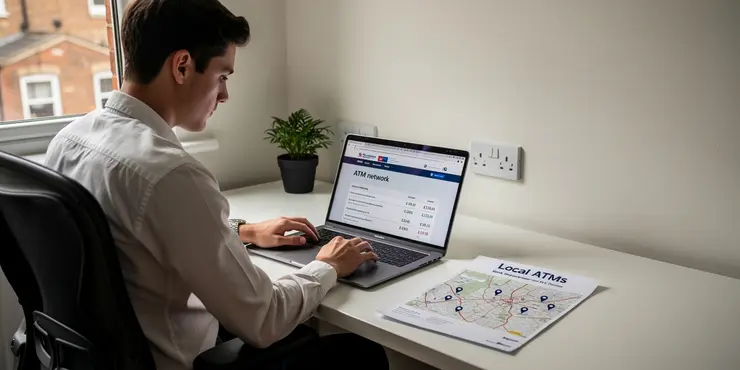
When deciding to switch banks, the breadth of an ATM network is a crucial factor. ATMs are essential for quick cash withdrawals and other banking services without branch visits. An extensive ATM network ensures accessibility and convenience in your daily transactions.
In the UK, where cash transactions are still common, having easily accessible ATMs can significantly impact your banking experience. It's vital to consider how closely an ATM network matches your lifestyle needs.
Convenience and Accessibility
Convenience is at the heart of using any banking service, and ATMs are no exception. The ease of finding an ATM close to your home, workplace, or frequented areas enhances the attractiveness of a bank. A bank with numerous ATMs eliminates the inconvenience of traveling far for cash.
Accessibility can also vary by location, so it's wise to ensure your chosen bank has ATMs in the places you often visit. This ensures you can perform transactions quickly and without hassle.
Cost Implications
ATM fees can add up quickly if you often use cash machines outside of your bank's network. Many banks charge for withdrawals from external networks, which could make banking more expensive. Switching to a bank with a broad ATM network can help you avoid these unnecessary fees.
By choosing a bank with a strong network, you might save money over time. This financial benefit might be particularly noticeable if you're someone who relies heavily on ATM transactions.
Security and Reliability
Ensuring your ATM transactions are secure is a priority for any UK bank user. A bank with a well-maintained and updated ATM network ensures higher security standards and mitigates risks such as card skimming.
Reliability is crucial, too, especially during weekends or public holidays when branch access is limited. A reliable ATM network means fewer disruptions for customers needing cash or account access at unconventional times.
Final Thoughts
In summary, a bank's ATM network plays a significant role in the decision to switch banks. For UK customers, it impacts convenience, cost, and the overall banking experience. Consideration of the network should be part of the decision-making process.
As lifestyles evolve and personal needs change, choosing a bank that aligns with your ATM usage patterns can lead to a more effective banking partnership. Select a bank with a strong network to ensure ease, savings, and security in your everyday transactions.
Frequently Asked Questions
A bank's ATM network is important because it determines how easily you can access cash without incurring extra fees. A larger network may provide more convenience and coverage.
A limited ATM network might lead to paying additional fees for withdrawing cash from out-of-network ATMs, which can add up over time.
Surcharge-free ATMs are machines that do not charge the user a fee for withdrawals, often due to partnerships or network agreements.
ATM fees can be avoided by using ATMs within the bank's network or choosing a bank that reimburses out-of-network ATM fees.
If you travel frequently, consider banks with nationwide or global ATM networks, or banks that offer fee reimbursements for international ATM use.
It depends on your needs. A larger network offers more convenience and fee-free access, but smaller networks may compensate with other benefits.
Assess your cash withdrawal habits, check the bank's ATM locations, and compare them to your usual routes and travel patterns.
Many online banks provide access through partner networks, offering surcharge-free withdrawal at thousands of ATMs.
Yes, typically you will incur a fee from both your bank and the ATM operator for out-of-network withdrawals.
Some banks reimburse fees charged by other banks' ATMs, which is particularly helpful if your bank's network is limited.
Yes, if you regularly need to deposit cash or checks at ATMs, ensure your bank's ATMs offer deposit functionality.
Some banks offer accounts with zero ATM fees or unlimited ATM fee reimbursements, but these accounts might adhere to specific balance or usage requirements.
Compare by the number of ATMs, their locations, any associated fees, and reimbursement policies.
While possible, relying solely on ATMs limits services to basic transactions. Online and mobile banking can offer more comprehensive account management.
Not necessarily. Security depends more on the technology and protocols used, although larger networks might invest more in security.
Hybrid or shared networks involve multiple banks allowing access to their ATMs across a combined network, widening access without higher fees.
Credit unions often participate in cooperative networks, expanding surcharge-free ATM access similar to large banks.
Mobile banking allows for account management features like transfers, payments, and mobile deposits that ATMs may not provide.
Consider whether remaining with the bank meets your needs or explore options with a more extensive ATM network or fee reimbursement.
While digital payments reduce the need for cash, access to cash via ATMs can still be necessary for situations where electronic payments aren't accepted.

Ergsy Search Results
This website offers general information and is not a substitute for professional advice.
Always seek guidance from qualified professionals.
If you have any medical concerns or need urgent help, contact a healthcare professional or emergency services immediately.
Some of this content was generated with AI assistance. We've done our best to keep it accurate, helpful, and human-friendly.
- Ergsy carefully checks the information in the videos we provide here.
- Videos shown by Youtube after a video has completed, have NOT been reviewed by ERGSY.
- To view, click the arrow in centre of video.
- Most of the videos you find here will have subtitles and/or closed captions available.
- You may need to turn these on, and choose your preferred language.
- Go to the video you'd like to watch.
- If closed captions (CC) are available, settings will be visible on the bottom right of the video player.
- To turn on Captions, click settings.
- To turn off Captions, click settings again.