
Get Answers
Introduction to Virtual Wards
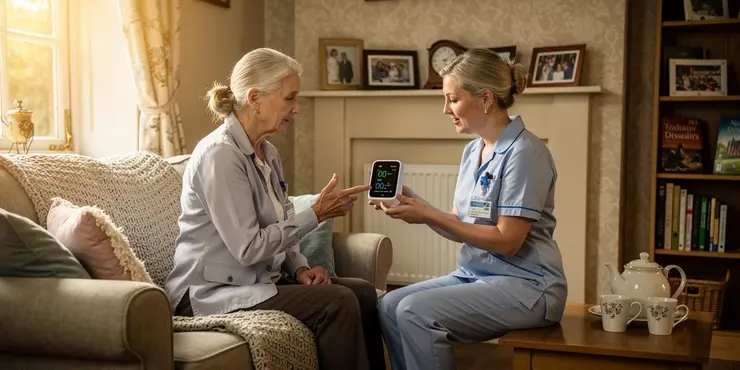
Virtual wards are a relatively new concept in healthcare. They aim to provide hospital-level care to patients in their homes. This approach utilizes technology to monitor and support patients remotely.
In contrast, traditional home healthcare focuses more on in-person visits. These visits are often provided by nurses or healthcare assistants. Virtual wards use digital tools to minimise the need for physical presence.
Use of Technology
Virtual wards rely heavily on technology. Devices such as remote monitoring tools are essential. These tools collect patient data in real-time.
Traditional home healthcare may use basic technology. However, it usually involves more face-to-face interactions. The use of advanced digital devices is limited compared to virtual wards.
Patient Monitoring
In virtual wards, patients are consistently monitored. Data is sent to healthcare providers regularly. Alerts are triggered if there are any concerns.
Traditional home healthcare depends on scheduled visits. Monitoring may happen only during these visits. This can lead to gaps in patient observation.
Role of Healthcare Professionals
Healthcare professionals in virtual wards can manage more patients. Remote systems allow them to oversee multiple cases simultaneously. Their interaction is more data-driven.
In traditional home healthcare, the professional's presence is crucial. They spend more time on personal visits. This allows for direct care and personal interaction.
Impact on Patients
Virtual wards can offer patients a sense of independence. Patients remain in familiar surroundings. The technology supports their health needs.
In traditional home healthcare, patients benefit from personal contact. The regular visits offer comfort and reassurance. However, this may require more patient availability and time.
Cost and Efficiency
Virtual wards can be cost-effective. They reduce the need for hospital stays. This approach can also optimise the use of healthcare resources.
Traditional home healthcare can be more resource-intensive. The costs of personal visits and travel can add up. It is less scalable compared to virtual health solutions.
Conclusion
Both virtual wards and traditional home healthcare have unique benefits. The choice depends on patient needs and preferences. The UK healthcare system continues to evolve with these options.
Frequently Asked Questions
A virtual ward is an innovative healthcare service that provides hospital-level care to patients in their homes using technology and remote monitoring.
Virtual wards use advanced technology and continuous remote monitoring to deliver care, while traditional home healthcare typically involves periodic in-person visits by healthcare professionals.
Virtual wards use remote monitoring devices, video conferencing, and digital communication tools to keep healthcare providers connected with patients.
Virtual wards aim to deliver hospital-level care by combining remote monitoring, timely interventions, and specialized support while patients remain at home.
Patients who require hospital-level care but are stable enough to be treated at home can be considered for virtual ward care.
Patients are monitored using wearable devices, apps, and other remote health monitoring equipment that send data to healthcare professionals.
While virtual wards reduce the need for some in-person visits, they do not entirely replace them. Traditional appointments may still be necessary for certain evaluations.
Benefits include continuous monitoring, faster response times, reduced need for hospital admissions, and improved patient convenience.
By providing continuous monitoring and quicker interventions, virtual wards can lead to faster recoveries and reduce complications.
Virtual wards can be more cost-effective by reducing the need for prolonged hospital stays and minimizing travel costs for healthcare visits.
Caregivers can support patients at home by assisting with the use of monitoring devices and facilitating communication with healthcare providers.
Patient data security is a priority, with measures in place to protect data through encryption and compliant handling practices.
Virtual wards can often detect issues early, allowing for prompt interventions. In emergencies, they coordinate with emergency services for rapid response.
Conditions such as chronic illnesses, post-surgical recovery, and acute episodes that require close monitoring can be managed in virtual wards.
Interactions vary based on patient needs, typically ranging from daily check-ins via video calls to continuous monitoring and alerts.
Basic technical skills are helpful, but healthcare teams often assist in setting up devices and providing guidance to patients and caregivers.
Challenges include technology accessibility, ensuring reliable internet connections, and adapting care models to fit the virtual environment.
Virtual wards expand access by allowing patients to receive care in their own homes, reducing barriers related to travel and physical distance.
Coverage varies by provider and policy, but as virtual care models gain acceptance, many insurers now offer coverage for virtual ward services.
Healthcare professionals receive training in telemedicine, remote monitoring technology, and virtual patient engagement to provide effective virtual ward care.

Ergsy Search Results
This website offers general information and is not a substitute for professional advice.
Always seek guidance from qualified professionals.
If you have any medical concerns or need urgent help, contact a healthcare professional or emergency services immediately.
Some of this content was generated with AI assistance. We've done our best to keep it accurate, helpful, and human-friendly.
- Ergsy carefully checks the information in the videos we provide here.
- Videos shown by Youtube after a video has completed, have NOT been reviewed by ERGSY.
- To view, click the arrow in centre of video.
- Most of the videos you find here will have subtitles and/or closed captions available.
- You may need to turn these on, and choose your preferred language.
- Go to the video you'd like to watch.
- If closed captions (CC) are available, settings will be visible on the bottom right of the video player.
- To turn on Captions, click settings.
- To turn off Captions, click settings again.