
Get Answers
Introduction
Checking the air quality in your local area is essential, especially if you are concerned about pollution, suffer from respiratory issues, or simply want to ensure a healthy environment for outdoor activities. In the UK, several resources and tools are available to help you stay informed about current air quality levels.
Government Websites and Services
The UK government provides various online resources to check air quality levels. One of the primary sources is DEFRA (Department for Environment, Food & Rural Affairs), which offers the UK-AIR website. By visiting uk-air.defra.gov.uk, you can access up-to-date air quality information, forecast maps, and guidance on understanding pollution levels. The website provides data on various pollutants such as nitrogen dioxide (NO2), particulate matter (PM10 and PM2.5), and ozone (O3).
Local Council and Regional Websites
Many local councils in the UK have their own air quality monitoring networks and websites where you can find specific data for your area. By checking your local council's website, you may gain access to more detailed and localized information. Additionally, some councils collaborate with regional environmental agencies to publish air quality reports and forecasts.
Mobile Applications
Mobile apps provide a convenient way to check air quality levels on the go. Several apps are available for both iOS and Android devices, offering real-time data and alerts for your specific location. Some popular apps include "Plume Labs: Air Report," "AirVisual," and "Breezometer." These apps often provide easy-to-understand air quality indices and offer health recommendations based on the current conditions.
Smart Home Devices
If you own a smart home device such as Alexa or Google Home, you can also enable skill or action that provides air quality updates. By integrating these services, you can simply ask your device about the current air quality and receive immediate feedback. Additionally, some smart air purifiers come equipped with their own sensors and apps, providing air quality data directly through the manufacturer's application.
Understanding Air Quality Index (AQI)
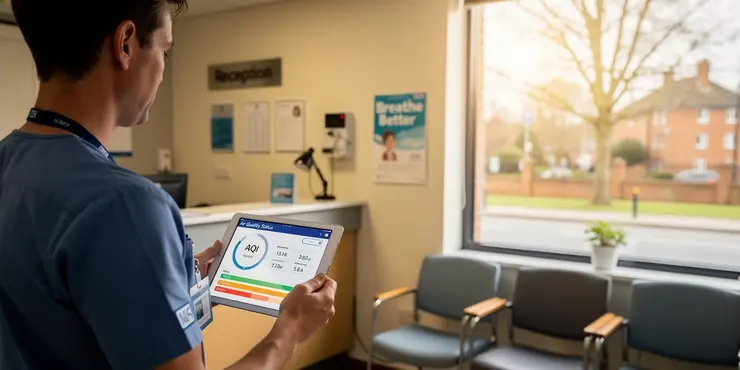
When checking air quality, it's important to understand how the Air Quality Index (AQI) works. The AQI is a system for reporting daily air quality levels, focusing on health impacts that might be of concern. The index uses a scale from 1 to 10 in the UK, with 1-3 representing 'Low' pollution, 4-6 'Moderate,' 7-9 'High,' and 10 'Very High.' Knowing the AQI can help you make informed decisions about outdoor activities, especially for vulnerable groups like children and the elderly.
Conclusion
Staying informed about air quality levels in your local area is crucial for maintaining health and well-being. By utilizing government resources, local council websites, mobile applications, and smart home devices, you can easily access up-to-date information and make the best decisions for you and your family's health.
Introduction
It is important to know if the air is clean where you live. This is especially true if you worry about pollution or have breathing problems. You might also want to know the air quality for outdoor activities. In the UK, you can find information on air quality from different websites and tools.
Government Websites and Services
The UK government has online tools to check air quality. One main site is DEFRA's UK-AIR. You can visit uk-air.defra.gov.uk to see the latest information. It shows data about pollution like nitrogen dioxide (NO2), particulate matter (PM10 and PM2.5), and ozone (O3).
Local Council and Regional Websites
Your local council may have its own website for air quality. This site can give you detailed information about air in your area. Some councils also work with nearby groups to share reports and forecasts.
Mobile Applications
You can use your phone to check air quality too. There are apps for iPhones and Androids that show real-time data. Some examples are "Plume Labs: Air Report," "AirVisual," and "Breezometer." These apps are easy to use and can tell you if it is safe to go outside. They also give tips for your health.
Smart Home Devices
If you have a smart home device like Alexa or Google Home, you can ask it about air quality. These devices can tell you how clean the air is right now. Some smart air cleaners have their own sensors to check air quality and show the data on their app.
Understanding Air Quality Index (AQI)
The Air Quality Index (AQI) tells you how clean the air is. In the UK, the AQI uses numbers from 1 to 10. Numbers 1-3 mean "Low" pollution, 4-6 mean "Moderate," 7-9 mean "High," and 10 means "Very High." Knowing the AQI helps you decide whether to go outside, especially for children and elderly people.
Conclusion
Knowing the air quality in your area is important for your health. Use government sites, local council websites, phone apps, and smart home devices to find this information easily. This way, you can make good choices for you and your family's health.
Frequently Asked Questions
You can check current air quality levels by visiting websites like AirVisual, AQICN, or government environmental websites.
Yes, apps like AirVisual, PurpleAir, and Plume Labs' Air Report offer air quality information for your local area.
Yes, you can ask voice assistants like Alexa, Google Assistant, or Siri to provide air quality updates if they're linked to your location.
Many local governments provide air quality data on their environmental or health websites, often updated hourly.
AQI stands for Air Quality Index. It is a standardized way of measuring air quality, indicating how polluted the air currently is or how polluted it is forecast to become.
The AQI typically measures pollutants like ground-level ozone, particulate matter (PM2.5 and PM10), carbon monoxide, sulfur dioxide, and nitrogen dioxide.
Yes, accounts from environmental organizations or local government agencies on platforms like Twitter often share air quality updates.
Air quality levels are usually updated hourly, although some sources may update more or less frequently.
Yes, websites like AirVisual and AQICN provide interactive maps that show air quality levels in different regions.
Different countries may have their own AQIs with varying scales and pollutant concentration thresholds, but they generally convey similar information.
An AQI of 50 or below is considered 'Good,' meaning air quality is satisfactory and poses little or no risk.
An AQI of 101 to 150 is considered 'Unhealthy for Sensitive Groups,' while above 150 is progressively worse, being 'Unhealthy,' 'Very Unhealthy,' and 'Hazardous.'
Common sources include vehicle emissions, industrial discharges, wildfires, and dust storms.
Yes, many weather apps now include air quality information along with their standard weather forecasts.
Yes, many apps and websites allow you to set up alerts for specific air quality conditions via email or push notifications.
Stay indoors, use air purifiers, keep windows closed, wear masks if necessary, and limit outdoor exercise.
PM2.5 refers to particulate matter smaller than 2.5 micrometers. It's important because it can penetrate the lungs and affect health.
Yes, indoor air quality can differ significantly due to factors like ventilation, indoor pollution sources, and the level of air filtration.
Air quality monitors are generally reliable, especially official government or research-grade sensors, but consumer-grade sensors may vary in accuracy.
Yes, you can use personal air quality monitoring devices to collect data, which can be shared on platforms like PurpleAir.
You can see how clean the air is by looking at websites like AirVisual, AQICN, or the government's websites about the environment.
Yes, you can use apps like AirVisual, PurpleAir, and Plume Labs' Air Report to find out about the air quality near you.
You can ask voice helpers like Alexa, Google Assistant, or Siri to tell you about air quality. They need to know where you are first.
Many local governments share air quality information on their websites about the environment or health. They often update this information every hour.
AQI means Air Quality Index. It is a simple way to tell how clean or dirty the air is now, or how it might be soon.
The AQI is a number that tells us how clean or dirty the air is. It checks for things that can make the air bad, like:
- Ozone close to the ground
- Dust and tiny pieces in the air (called PM2.5 and PM10)
- Carbon monoxide gas
- Sulfur dioxide gas
- Nitrogen dioxide gas
You can use things like pictures or color codes to help you understand this better. There are also apps and websites that show this information in a simple way.
Yes, groups that care about nature and local government often share updates about air quality on Twitter.
Air quality numbers usually change every hour. Some places might change them more often or less often.
Yes, there are websites like AirVisual and AQICN. They have maps that show how clean or dirty the air is in different places.
Different countries have their own ways to measure air quality, called AQIs. They might use different numbers and levels for bad air, but they all share the same important idea about the air quality.
An AQI of 50 or less is called 'Good.' This means the air is clean and safe to breathe. There is little or no danger from the air.
An AQI of 101 to 150 is not safe for people who may get sick easily, like kids or older adults. If the AQI is higher than 150, the air is bad for everyone, and it could be very bad or even dangerous.
Common sources of pollution include car fumes, factory smoke, wildfires, and dust storms.
Yes, many weather apps now show air quality information. They also show regular weather forecasts.
Yes, you can use apps and websites to get alerts about air quality. They can send you an email or a message when the air is not good.
Stay inside. Use machines to clean the air. Keep windows shut. Wear masks if needed. Do not exercise outside too much.
PM2.5 means tiny bits of dust that are smaller than a human hair. They can get into your lungs and can make you sick.
Yes, the air inside buildings can be different. Things like how much fresh air gets in, what makes the air dirty, and how well the air is cleaned can change it.
To help understand, you can try these things:
- Use simple air filters to keep the air clean.
- Open windows often to let fresh air in.
- Do not smoke indoors to keep the air cleaner.
Air quality monitors can tell us how clean the air is. The ones used by the government or scientists are very good. Some that you can buy for home might not work as well.
If you want help, you can use simple guides to check how well they work or ask someone who knows about them.
Yes, you can use small machines to check the air around you. These machines can tell you how clean or dirty the air is. You can share this information on websites like PurpleAir.

Ergsy Search Results
This website offers general information and is not a substitute for professional advice.
Always seek guidance from qualified professionals.
If you have any medical concerns or need urgent help, contact a healthcare professional or emergency services immediately.
Some of this content was generated with AI assistance. We've done our best to keep it accurate, helpful, and human-friendly.
- Ergsy carefully checks the information in the videos we provide here.
- Videos shown by Youtube after a video has completed, have NOT been reviewed by ERGSY.
- To view, click the arrow in centre of video.
- Most of the videos you find here will have subtitles and/or closed captions available.
- You may need to turn these on, and choose your preferred language.
- Go to the video you'd like to watch.
- If closed captions (CC) are available, settings will be visible on the bottom right of the video player.
- To turn on Captions, click settings.
- To turn off Captions, click settings again.