
Speak To An Expert
Get clear, personalised advice for your situation.
Jot down a few questions to make the most of your conversation.
Secure Your Internet Connection with a VPN
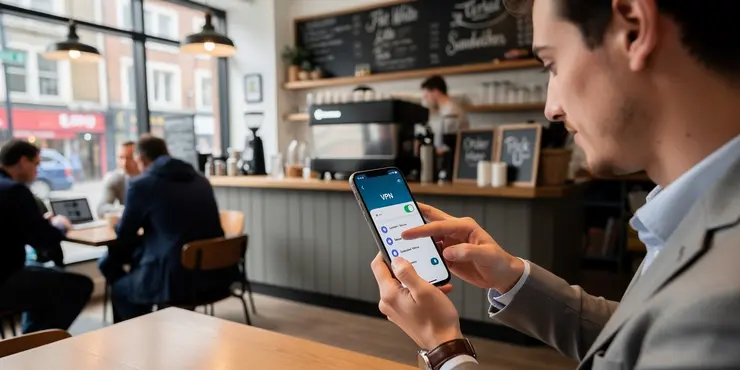
A Virtual Private Network (VPN) encrypts your internet connection, protecting your online activities from prying eyes. Consider using a reliable VPN service when accessing public Wi-Fi or handling sensitive information. Make sure to select a reputable VPN provider that does not log your data to ensure privacy.
VPNs can also help bypass regional restrictions and improve your online security. Ensure your VPN is turned on especially when using unsecured networks to safeguard your personal information.
Keep Your Phone's Software Updated
Regular software updates are crucial as they often include patches for security vulnerabilities. Set your phone to automatically update to ensure you’re always protected with the latest security fixes. These updates are essential for safeguarding your device against new threats.
In addition to system updates, ensure your apps are up-to-date. App developers frequently release updates that address security issues, improving the overall security of your phone.
Use Strong, Unique Passwords
Utilise strong, unique passwords for all your accounts to enhance your online security. Avoid using easily guessable information like birthdays or pet names. Use a mix of letters, numbers, and special characters to create strong passwords.
Consider using a password manager to keep track of your passwords securely. This can help you manage and generate complex passwords, reducing the risk of account compromise.
Turn Off Unnecessary Connections
Disable Wi-Fi, Bluetooth, and NFC when not in use to prevent unwanted access. Leaving these connections open can make your phone more vulnerable to hacking attempts. It also conserves battery life and improves your phone's performance.
When you are done with a specific connection, such as connecting to a public Wi-Fi, make sure to disconnect and turn off the setting to avoid automatic connections.
Be Wary of Public Wi-Fi
Public Wi-Fi networks, though convenient, pose significant security risks. Avoid accessing sensitive information or conducting banking transactions over public Wi-Fi. Cybercriminals can exploit these networks to intercept your data.
If you must use public Wi-Fi, ensure your device is secure by having a VPN connected to encrypt your data. This makes it considerably harder for attackers to access your information.
Frequently Asked Questions
To secure your phone's internet connection, you can use a VPN, enable a firewall, and keep your software updated.
A VPN encrypts your internet traffic, protecting your data from hackers, especially on public Wi-Fi networks.
Yes, regularly updating your phone's software will ensure you have the latest security patches and features.
Use strong passwords, enable two-factor authentication, and ensure your phone auto-locks after a period of inactivity.
Public Wi-Fi is not secure. Use a VPN to encrypt your data or avoid using public Wi-Fi for sensitive transactions.
A firewall can help protect your phone by blocking unwanted traffic and preventing unauthorized access.
Two-factor authentication adds an extra layer of security by requiring a second form of verification to access your accounts.
Yes, enabling encryption ensures that even if your phone is lost or stolen, your data is protected from unauthorized access.
Antivirus apps can help by detecting and blocking malware that might compromise your internet connection.
Check if the network is password-protected and belongs to a trusted entity. Avoid networks without security protection.
Signs include unusual data usage, battery drain, and unexpected pop-ups or ads.
Yes, turning off Bluetooth and NFC when not in use reduces the risk of unauthorized pairing and data interception.
Review and manage app permissions regularly. Unnecessary permissions can expose your data to risk.
Yes, malicious or untrustworthy browser extensions can compromise your privacy and security.
Use WPA3 security, a strong password, and limit the number of devices allowed to connect.
Mobile data is generally more secure than public Wi-Fi, as it is encrypted by default and less susceptible to attacks.
Yes, you can use your phone's settings to monitor app data usage and identify suspicious activities.
Be cautious of emails, messages, or links that request personal information. Use security software to filter phishing attempts.
Yes, it hides your network from casual scanners, adding a layer of security. However, it should not be the sole security measure.
SSL/TLS encrypts data transmitted between your phone and websites, ensuring data integrity and protection against interception.

Ergsy Search Results
This website offers general information and is not a substitute for professional advice.
Always seek guidance from qualified professionals.
If you have any medical concerns or need urgent help, contact a healthcare professional or emergency services immediately.
Some of this content was generated with AI assistance. We've done our best to keep it accurate, helpful, and human-friendly.
- Ergsy carefully checks the information in the videos we provide here.
- Videos shown by Youtube after a video has completed, have NOT been reviewed by ERGSY.
- To view, click the arrow in centre of video.
- Most of the videos you find here will have subtitles and/or closed captions available.
- You may need to turn these on, and choose your preferred language.
- Go to the video you'd like to watch.
- If closed captions (CC) are available, settings will be visible on the bottom right of the video player.
- To turn on Captions, click settings.
- To turn off Captions, click settings again.