
Get Answers
Understanding the UK TV Licensing Requirements
In the UK, it's a legal requirement to hold a TV licence if you watch or record live television broadcasts on any channel, or use BBC iPlayer. Whether you watch TV on a traditional TV set, a computer, or any other device, you still need to pay for a TV licence. This requirement ensures that the funding for public broadcasting, particularly the BBC, remains robust and sustainable.
How Much Does a TV Licence Cost?
As of 2023, a standard TV licence costs £159 per year for a colour TV. For those using a black and white set, the licence is £53.50. There are concessions available, such as a 50% discount for those who are registered as blind, and free licences for those over 75 who receive Pension Credit.
Paying for Your TV Licence
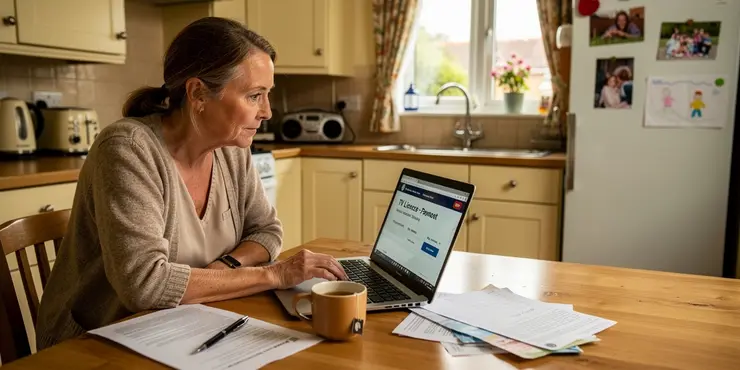
There are several methods available to pay for your TV licence in the UK. You can choose one that suits your financial situation, ensuring that you remain compliant with legal requirements. Below are the various ways you can pay.
Paying Online
One of the fastest and most convenient ways to pay for your TV licence is online via the official TV Licensing website. You can make a one-off payment using a credit or debit card. Alternatively, you can set up a Direct Debit for monthly, quarterly, or annual payments, spreading the cost across the year.
Paying by Phone
If you prefer to pay over the phone, you can call the TV Licensing hotline. This method allows you to pay by debit or credit card. The phone service is automated and available 24/7, making it a flexible option for many.
Paying at a PayPoint
You can also pay for your TV licence in person at any PayPoint outlet, which are widely available in shops and supermarkets across the UK. You can pay by cash or card at these locations, which is ideal for those who prefer face-to-face transactions.
Payment by Post
If you wish to pay for your TV licence by post, you can do so by sending a cheque made payable to ‘TV Licensing’ to their postal address. Include your TV licence number or reference with your payment. Note that postal payments may take longer to process.
TV Licence Payment Plan
The TV Licensing Payment Card plan allows payments to be made weekly or fortnightly, helping to manage the cost effectively. You can set up a payment card plan online or over the phone, making it easy to spread the payments.
Conclusion
Paying for a TV licence is a necessary responsibility for anyone watching live television or using BBC iPlayer in the UK. With multiple payment methods available, you can choose the most convenient option to suit your lifestyle and financial needs. Always ensure your payments are up to date to avoid legal complications.
Understanding TV Licenses in the UK
In the UK, you need a TV license if you watch or record live TV. This includes any channel or if you use BBC iPlayer. It doesn't matter if you watch on a TV, computer, or other device; you still need a license. The money from licenses helps pay for BBC and other public broadcasters.
How Much Does a TV License Cost?
In 2023, a TV license for watching color TV is £159 a year. If you use a black and white TV, it's £53.50. Some people can get discounts. If you are blind, you pay half. If you are over 75 and get Pension Credit, the license is free.
How to Pay for Your TV License
There are different ways to pay for your TV license. You can pick the one that works best for you. It’s important to make sure you pay to follow the rules.
Paying Online
You can pay for your TV license online. Go to the TV Licensing website to pay with a credit or debit card. You can also set up a Direct Debit to spread the cost. This means you can pay monthly, every three months, or once a year.
Paying by Phone
You can call the TV Licensing service to pay by phone. Use your credit or debit card. The service is open all the time, day and night, which is handy for many people.
Paying at a PayPoint
You can also pay at a PayPoint. These are in shops and supermarkets. You can pay with cash or card. This is good if you like to pay in person.
Paying by Post
You can send a cheque to ‘TV Licensing’ by post. Remember to write your TV license number with your payment. Paying by post can take longer.
TV License Payment Plan
You can pay weekly or every two weeks with a TV Licensing Payment Card. You can set this up online or by phone to help manage your payments.
Conclusion
Anyone watching live TV or using BBC iPlayer in the UK must pay for a TV license. There are many ways to pay, so choose what works best for you. Make sure you pay on time to avoid any problems with the law.
Frequently Asked Questions
You can pay for a TV license using a credit or debit card, direct debit, bank transfer, cash, or check.
Yes, you can pay for a TV license online through the official TV licensing website using a credit or debit card.
Yes, you can set up a direct debit to make monthly, quarterly, or annual payments for your TV license.
Yes, you can pay for a TV license at any Post Office branch using cash, credit/debit card, or check.
You can pay for a TV license by visiting the Post Office, calling the TV licensing service, or by sending a check in the mail.
Yes, you can pay for a TV license over the phone using a debit or credit card by calling the TV licensing service.
You will need to provide your name, address, and payment details such as your bank account number or card information.
Yes, you can use credit or debit cards to pay for a TV license online, over the phone, or at the Post Office.
No, there is no discount for paying a TV license annually, but it can simplify the payment process.
Yes, you can spread the cost by choosing monthly or quarterly direct debit payments.
You can set up a payment plan where you pay monthly or quarterly via direct debit.
Yes, you can pay by check at the Post Office or by sending it in the mail to the TV licensing service.
Yes, you can pay with cash at any Post Office branch.
Students can pay for a TV license using the same methods as everyone else: online, by phone, at the Post Office, or by direct debit.
Yes, you can pay in installments by setting up a monthly or quarterly direct debit.
There are usually no additional fees for choosing monthly or quarterly payments, but check the terms for any specific charges.
People over 75 may be eligible for a free or discounted TV license, depending on their circumstances.
Yes, you can cancel your TV license and may be eligible for a refund, depending on your circumstances.
If you miss a payment, contact the TV licensing service as soon as possible to discuss your options and prevent penalties.
Yes, you can change your payment method by contacting the TV licensing service and discussing your preferred option.
You can pay for a TV license in many ways. You can use a card like a credit or debit card. You can also pay with direct debit from your bank. Other options are bank transfer, cash, or check.
Yes, you can pay for a TV license online. Go to the TV license website and use your credit or debit card to pay.
Yes, you can set up a direct debit to pay for your TV license. You can pay every month, every three months, or once a year.
Yes, you can pay for a TV license at any Post Office. You can use cash, a credit or debit card, or a check.
You can pay for a TV license in three simple ways. First, you can go to the Post Office. Second, you can call the TV licensing service. Third, you can send a check in the mail.
Yes, you can pay for a TV license by phone. Use a debit or credit card and call the TV licensing service.
You need to tell your name, where you live, and how you will pay. This could be your bank account number or your card information.
Yes, you can pay for a TV license with credit or debit cards. You can do it online, by phone, or at the Post Office.
No, paying for your TV license once a year is not cheaper. But it is easier to pay this way.
Yes, you can pay the money bit by bit. You can choose to pay every month or every three months.
You can choose to pay in smaller amounts either every month or every three months. This can be done automatically from your bank account.
Yes, you can pay with a check at the Post Office. You can also send a check in the mail to the TV licensing service.
Here are some tips to help:
- Ask a friend or family member to help you write the check.
- Make sure to write clearly so people can read it.
- Use a tool like a magnifying glass if it helps you see better.
- Take your time and ask questions if you need more help.
You can pay with cash at any Post Office.
Students can pay for a TV license just like other people. You can do it:
- On the internet (online)
- By calling on the phone
- At the Post Office
- By setting up a regular payment (direct debit)
Tools that might help:
- Ask someone you trust for help.
- Use websites like "Text-to-Speech" to read information out loud to you.
- Make a reminder on your phone or a note on paper to remember when to pay.
Yes, you can pay little by little. You can set up a monthly or every-three-months payment from your bank account.
You usually do not have to pay extra money if you want to pay every month or every three months. But it is a good idea to check the rules to see if there are any special charges.
If you are over 75, you might be able to get a free or cheaper TV license. It depends on your situation.
Yes, you can stop your TV license. You might get some money back, but it depends on your situation.
If you forget to pay, tell the TV licensing service right away. They can help you find a way to fix it so you don't get in trouble.
Yes, you can change how you pay by calling the TV licensing service. Tell them how you want to pay.

Ergsy Search Results
This website offers general information and is not a substitute for professional advice.
Always seek guidance from qualified professionals.
If you have any medical concerns or need urgent help, contact a healthcare professional or emergency services immediately.
Some of this content was generated with AI assistance. We've done our best to keep it accurate, helpful, and human-friendly.
- Ergsy carefully checks the information in the videos we provide here.
- Videos shown by Youtube after a video has completed, have NOT been reviewed by ERGSY.
- To view, click the arrow in centre of video.
- Most of the videos you find here will have subtitles and/or closed captions available.
- You may need to turn these on, and choose your preferred language.
- Go to the video you'd like to watch.
- If closed captions (CC) are available, settings will be visible on the bottom right of the video player.
- To turn on Captions, click settings.
- To turn off Captions, click settings again.