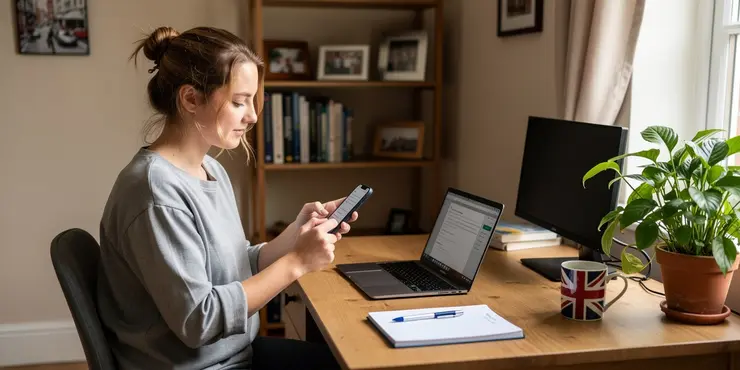

Speak To An Expert
Get clear, personalised advice for your situation.
Jot down a few questions to make the most of your conversation.
Update Your Apps Regularly
Regular updates are crucial for app security. Developers release updates to patch security vulnerabilities.
Enable automatic updates where possible, especially for critical apps. This ensures you receive the latest security fixes promptly.
Use Strong Passwords
Ensure each app account has a unique, strong password. Avoid using easily guessed words or sequences.
Consider using a password manager to generate and store complex passwords securely. This makes it easier to manage multiple accounts.
Enable Two-Factor Authentication
Two-factor authentication adds an extra layer of security. It requires a second form of verification alongside your password.
Many apps offer this feature, commonly using a text message or authenticator app. Enable it wherever possible to enhance security.
Download Apps from Trusted Sources
Only download apps from reputable sources such as official app stores. These platforms have security checks in place.
Be cautious of third-party stores, as they may not vet the apps thoroughly. This can leave your device vulnerable to malware.
Review App Permissions
Check the permissions an app requests before downloading it. Ensure they align with the app’s functionality.
Regularly review permissions for installed apps in your device settings. Revoke any that seem unnecessary or intrusive.
Be Cautious with Public Wi-Fi
Public Wi-Fi networks can be insecure. Avoid accessing sensitive apps or information while connected to them.
If necessary, use a Virtual Private Network (VPN) to encrypt your connection. This provides an additional layer of security.
Stay Informed About Security Threats
Keep yourself updated on the latest security threats and trends. This helps you recognise potential risks early.
Follow reputable tech news sites and cybersecurity blogs. Being aware of common threats enhances your ability to safeguard your apps.
Frequently Asked Questions
The first step is to regularly update your apps and operating system. Developers often release updates to fix security vulnerabilities.
Very important. Only grant permissions that are necessary for the app to function. Avoid apps that request unnecessary permissions.
Yes, using a reputable antivirus app can help protect your device from malware that could compromise your apps.
Public Wi-Fi can be insecure. Use a VPN to encrypt your data and protect sensitive information when using apps over public Wi-Fi.
Two-factor authentication (2FA) adds an extra layer of security by requiring a second form of verification. It's highly recommended to use it whenever available.
Be cautious of emails or messages that ask for personal information. Verify the source before clicking on any links or providing details.
Yes, reviews and ratings can provide insight into the experiences of other users, including any security issues they may have encountered.
Official app stores like Google Play and Apple App Store have security measures to scan for malware, but it’s still advisable to vet apps before downloading.
The privacy policy outlines how your data is collected, used, and shared. It helps you understand the potential privacy risks before using the app.
Use encrypted backups to protect your data from unauthorized access. Ensure regular backups as part of your security strategy.
Rooting or jailbreaking can compromise your device's security by removing built-in protections, making it more vulnerable to malware and attacks.
Strong, unique passwords make it more difficult for attackers to gain unauthorized access. Consider a password manager to keep track of them.
App sandboxing isolates apps from each other and the system, limiting their access to sensitive data and preventing the spread of malware.
Yes, removing unused apps reduces potential vulnerabilities and limits the exposure of personal data to apps you no longer use.
Unofficial sources often lack the security measures of official stores, increasing the risk of downloading malicious apps.
Biometric authentication adds an extra security layer and is generally more secure and convenient than traditional passwords.
Rebooting your device clears temporary data, closes unused apps, and can remove some types of malware.
APK files from untrusted sources can contain malware. It's safer to download from official app stores where apps are vetted.
Look for consistent app branding, avoid apps with few downloads and reviews, and be wary of apps that request excessive permissions.
Organizations should implement strict access controls, regular security audits, employee training, and robust data encryption for app security.

Ergsy Search Results
This website offers general information and is not a substitute for professional advice.
Always seek guidance from qualified professionals.
If you have any medical concerns or need urgent help, contact a healthcare professional or emergency services immediately.
Some of this content was generated with AI assistance. We've done our best to keep it accurate, helpful, and human-friendly.
- Ergsy carefully checks the information in the videos we provide here.
- Videos shown by Youtube after a video has completed, have NOT been reviewed by ERGSY.
- To view, click the arrow in centre of video.
- Most of the videos you find here will have subtitles and/or closed captions available.
- You may need to turn these on, and choose your preferred language.
- Go to the video you'd like to watch.
- If closed captions (CC) are available, settings will be visible on the bottom right of the video player.
- To turn on Captions, click settings.
- To turn off Captions, click settings again.