
Get Answers
Understanding Virtual Wards
Virtual wards are an innovative approach to healthcare. They allow patients to receive care at home using digital technology.
This approach is particularly beneficial for those needing regular monitoring. It aims to reduce hospital visits and admissions.
Basic Equipment Needs
You do not necessarily need special equipment to be part of a virtual ward. Many services use devices you may already own.
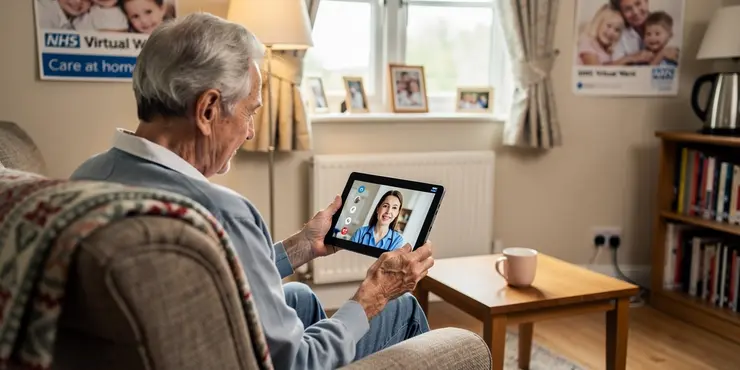
Access to a smartphone, tablet, or computer with an internet connection is often sufficient. These devices enable communication with healthcare professionals.
Specialised Medical Equipment
Some conditions might require specific monitoring devices. These can include blood pressure monitors, pulse oximeters, or glucose meters.
Healthcare providers typically supply essential medical equipment. They also provide instructions on how to use them properly.
Understanding Technology Requirements
Most virtual wards use simple apps or web platforms. These are designed to be user-friendly and easy to navigate.
Technical support is often available to assist with setup. This ensures that all patients can use the technology effectively.
Ensuring a Reliable Internet Connection
A stable internet connection is important for participating in a virtual ward. This ensures seamless communication and data exchange.
If you have connectivity issues, contact your healthcare provider. They may offer solutions or alternatives.
Privacy and Data Security
Data privacy is a key concern in virtual healthcare. Providers must ensure that patient information is secure.
Always use secure networks and follow guidelines provided by your healthcare team. This helps protect your personal information.
Conclusion
Joining a virtual ward generally does not require much specialised equipment. Basic digital devices and some provided medical tools are often enough.
Healthcare providers support patients in setting up and using necessary technology. This enables efficient and safe remote care.
Frequently Asked Questions
A virtual ward is a service that allows patients to receive healthcare and monitoring remotely, often from their homes, using technology.
Most virtual wards require patients to have some basic equipment, such as a smartphone, tablet, or computer with internet access.
Yes, a smartphone is commonly required as it allows app usage and communication with healthcare providers.
A computer or tablet is often useful but not required if you have a smartphone that can handle the necessary applications.
Some virtual wards provide necessary equipment, while others expect patients to use their own devices.
A stable high-speed internet connection, such as DSL, cable, or fiber optic, is typically required.
You may need medical devices like blood pressure monitors, glucose meters, or pulse oximeters, which are often provided or specified by the healthcare provider.
Yes, you may need to download specific healthcare apps to communicate with your healthcare team and record health data.
Most virtual ward services offer technical support to help with equipment and app setup.
Healthcare providers use secure applications and encrypt data to ensure patient privacy and confidentiality.
Some programs may help provide internet services, or alternative arrangements may be made by the healthcare provider.
Yes, family members can often help set up devices and assist with the use of apps or gathering health data.
If technology is a barrier, discuss options with your healthcare provider as they may offer other forms of support.
Some programs may offer or require training to ensure you can use the necessary technology effectively.
Contact the support team provided by the virtual ward for troubleshooting or replacement options.
Basic familiarity with using apps and the internet is helpful, but support is often available for those needing assistance.
The frequency of use varies based on your healthcare plan and provider instructions.
Costs depend on the healthcare provider, but some programs may cover or subsidize equipment and internet expenses.
You may be able to use existing devices if they are compatible with the virtual ward's requirements and apps.
Reach out to your healthcare provider or the virtual ward's support team for detailed information.

Ergsy Search Results
This website offers general information and is not a substitute for professional advice.
Always seek guidance from qualified professionals.
If you have any medical concerns or need urgent help, contact a healthcare professional or emergency services immediately.
Some of this content was generated with AI assistance. We've done our best to keep it accurate, helpful, and human-friendly.
- Ergsy carefully checks the information in the videos we provide here.
- Videos shown by Youtube after a video has completed, have NOT been reviewed by ERGSY.
- To view, click the arrow in centre of video.
- Most of the videos you find here will have subtitles and/or closed captions available.
- You may need to turn these on, and choose your preferred language.
- Go to the video you'd like to watch.
- If closed captions (CC) are available, settings will be visible on the bottom right of the video player.
- To turn on Captions, click settings.
- To turn off Captions, click settings again.