
Get Answers
Do you need to prove you can use the technology?
In most cases, you do not need to “prove” that you already know how to use diabetes technology before you can be considered for NHS access. The NHS usually looks at whether the technology is clinically appropriate for you, rather than expecting you to be an expert first.
That said, being willing and able to use the device safely is important. Your diabetes team may want to check that you understand the basics and can manage the day-to-day tasks involved.
What the NHS may look at instead
The eligibility process is usually based on your medical needs, your diabetes history, and how well your current treatment is working. For example, your team may consider how often you have hypos, your HbA1c results, and whether you have difficulty managing blood glucose.
They may also look at whether a device such as a CGM, insulin pump, or hybrid closed loop system is likely to improve your control and reduce risks. Access is often about need and benefit, not just prior experience.
Training and support are usually provided
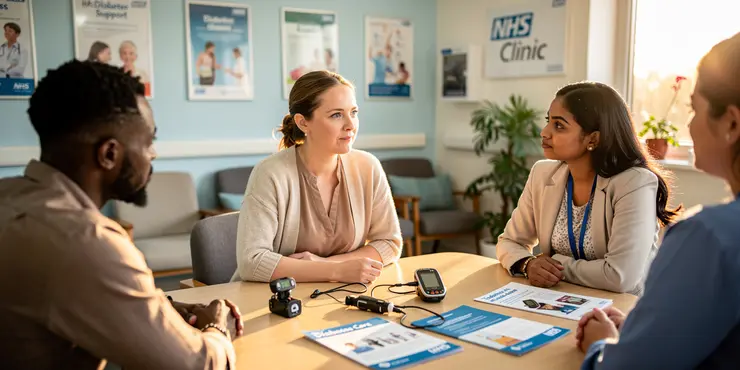
If you are offered diabetes technology through the NHS, you should usually receive training on how to use it. This may include setup, alarms, sensor changes, infusion set changes, and what to do if something goes wrong.
Many teams will not expect you to know everything in advance. They should support you with practical teaching so that you can use the technology confidently and safely.
Can lack of confidence affect access?
Lack of confidence on its own should not automatically stop you from getting access. If you are motivated and willing to learn, that can be enough for many services to move forward with an assessment.
However, some teams may want reassurance that you can handle the routine tasks involved. If you feel unsure, it is helpful to say so early, because extra training or a gradual approach may be possible.
What to do if you are asking for NHS diabetes technology
Speak to your diabetes consultant, specialist nurse, or local diabetes team and explain what you need. It helps to describe the problems you are having, such as frequent hypos, unstable readings, or difficulty managing insulin.
You can also ask what the local eligibility criteria are, because these can vary across the UK. If you are turned down, you can ask for the reasons and find out whether more information, training, or a review could help.
Frequently Asked Questions
Eligibility is usually based on clinical need, diabetes type, treatment regimen, risk of hypoglycaemia, glucose control, and whether the person can safely use the device or app with appropriate training and support.
Proof of ability to use technology may include demonstrating that the person can understand instructions, operate the device or app, respond to alerts, and complete any required setup, with support if needed.
You usually apply through your diabetes team, consultant, diabetes nurse, or GP referral, who will assess clinical suitability and discuss whether you can use the technology reliably and safely.
Available technologies may include continuous glucose monitors, flash glucose monitors, insulin pumps, hybrid closed-loop systems, and related apps or linked devices, depending on local NHS criteria.
You may need to show that you can use the relevant device or smartphone app, but this does not always mean advanced digital skills; training, accessibility features, and caregiver support can be considered.
Yes, children may be eligible if the clinical criteria are met and a parent, carer, or the child can use the technology safely with training and ongoing support from the diabetes team.
Yes, older adults can be eligible if the technology suits their clinical needs and they can use it safely, or have enough support from carers or clinicians to manage it effectively.
Yes, people with type 1 diabetes are often more likely to meet eligibility criteria for advanced glucose monitoring or pump therapy, but individual clinical assessment is still required.
Yes, some people with type 2 diabetes may qualify for specific technologies if they have clinical need, insulin treatment, recurrent hypoglycaemia, or difficulty achieving glucose targets.
If you cannot use the technology independently, the NHS may still consider access if a carer, parent, or support person can help and the team believes it can be used safely.
Yes, visual impairment does not automatically prevent access; accessibility features, voice support, larger displays, training, and help from carers may be taken into account.
Yes, people with learning disabilities may still be eligible if the technology can be used safely with appropriate adjustments, training, and support from carers or the clinical team.
Clinicians may review glucose records, HbA1c results, hypoglycaemia history, insulin use, prior device experience, and observations about whether the person can use the technology safely.
The timeline varies by area and device, but it often includes assessment, training, device approval, and supply arrangements, which may take weeks or longer depending on local services.
A GP may help with referral, but specialist diabetes teams usually make the main eligibility decision for diabetes technologies and assess whether you can use them appropriately.
Training commonly covers device setup, sensor or pump use, interpreting readings, responding to alarms, troubleshooting, and when to contact the diabetes team for help.
Yes, carers can often support access and ongoing use, especially where the person needs help with setup, data interpretation, or responding to alerts and device issues.
If you are not approved, you can ask for the reasons, request additional training or support, and ask whether a different device or a later reassessment may be possible.
Not always, but some devices work best with a smartphone or app; if you do not have one, your team may consider alternative devices or other ways to view readings.
Your diabetes consultant, diabetes specialist nurse, clinic team, or local NHS service can advise you on eligibility, evidence of ability to use the technology, and next steps.

Ergsy Search Results
This website offers general information and is not a substitute for professional advice.
Always seek guidance from qualified professionals.
If you have any medical concerns or need urgent help, contact a healthcare professional or emergency services immediately.
Some of this content was generated with AI assistance. We've done our best to keep it accurate, helpful, and human-friendly.
- Ergsy carefully checks the information in the videos we provide here.
- Videos shown by Youtube after a video has completed, have NOT been reviewed by ERGSY.
- To view, click the arrow in centre of video.
- Most of the videos you find here will have subtitles and/or closed captions available.
- You may need to turn these on, and choose your preferred language.
- Go to the video you'd like to watch.
- If closed captions (CC) are available, settings will be visible on the bottom right of the video player.
- To turn on Captions, click settings.
- To turn off Captions, click settings again.