
Get Answers
Introduction
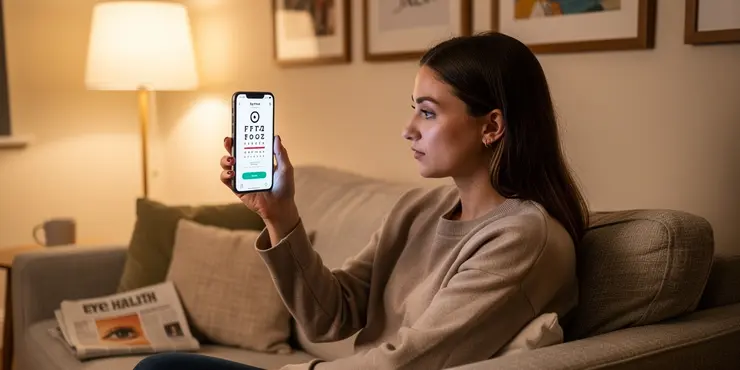
With the advancement of technology, smartphones have become versatile tools, offering solutions that extend beyond communication. One such application is the ability to perform eye tests. While there is no substitute for a professional examination by an optometrist, smartphones can provide preliminary self-assessments and help monitor eye health.
How Smartphones Can Be Used for Eye Testing
Several apps are available that transform your smartphone into a diagnostic tool for basic vision screening. These apps offer various tests, including visual acuity, colour vision, and astigmatism assessments. Users are guided through simple, interactive exercises to measure different aspects of their vision.
Available Apps and Tools
One popular app on the UK market is the Peek Acuity app, developed with collaboration from the London School of Hygiene & Tropical Medicine. This app is designed to perform a basic visual acuity test. It uses the smartphone screen to display letters or symbols that the user reads to someone else, simulating the environment of a traditional eye chart in a clinical setting.
Another tool is the EyeQue VisionCheck, which includes a physical attachment that clips onto the smartphone. This device performs a more comprehensive screening, including refraction tests that estimate prescription strength. While EyeQue requires a small investment compared to free apps, it offers more detailed insight into your eye health.
Benefits and Limitations
Using a smartphone for self-testing has several benefits. It provides immediate, user-friendly feedback on your vision status, which is valuable for individuals unable to access regular eye care services. It can also be a convenient method to monitor changes in vision over time.
However, it is crucial to recognise the limitations of self-testing via smartphone. These tools cannot replace professional evaluations. Factors such as screen resolution, lighting conditions, and user interpretation can affect results. Furthermore, these apps and devices often lack the comprehensive diagnostic capabilities to detect conditions such as glaucoma or cataracts. Regular check-ups with an optometrist remain essential for maintaining eye health.
Best Practices for Using Smartphone Eye Tests
If you decide to use smartphone-based tests, following best practices can ensure more accuracy. Ensure a well-lit room and hold the device at the recommended distance. Regularly check and update the app to benefit from improvements in testing methodologies. Use the results as a supplementary resource and not the sole basis for eye-related decisions.
Conclusion
Smartphones can serve as a useful tool for preliminary eye testing, offering a convenient way to keep tabs on your vision health. While these technologies provide valuable insights, they should complement rather than replace professional eye care. For the UK populace, maintaining regular visits to an optometrist is paramount to ensure any issues are detected and treated early.
Introduction
Technology has made our phones very powerful. Phones can do many things, not just help us talk to each other. They can now help us check our eyes. Remember, seeing a real eye doctor is very important. But phones can help us check our eyes a little at home and keep an eye on our eye health.
How Phones Can Help Check Eyes
There are apps that turn your phone into a tool to help look at your eyes. These apps have different tests, like checking how well you see, checking colors, and checking for special vision problems. The apps use easy games and activities to check your sight.
Apps and Tools You Can Use
One app you can use in the UK is called Peek Acuity. It was made with help from a school in London. This app helps you do a simple eye test. The phone shows letters or shapes that you read out loud to someone else. It's like the eye chart at the doctor's office.
Another tool is called the EyeQue VisionCheck. This one comes with a small device you put on your phone. It can check more things than just an app. It tells you more about your eyes, like if you need glasses. EyeQue costs a little money, but it gives you more information about your eyes.
Benefits and Drawbacks
Using your phone to check your eyes has good points. It’s quick and easy to see how your eyes are doing. This is good if you can't see an eye doctor right away. It also helps to see if your eyes change over time.
But remember, phone tests can't do everything a doctor can. Things like how clear your screen is or how bright the room is can change the results. These phone tools can't find serious eye problems like an eye doctor can. Seeing an eye doctor regularly is very important for your eye health.
Tips for Using Phone Eye Tests
If you use phone tests, here are some tips. Make sure the room is bright enough. Hold the phone at the right distance. Keep the app updated so it works well. Use these tests to help you, but don't make big eye decisions without seeing the doctor.
Conclusion
Phones are helpful for checking your eyes a little bit. They make it easier to check how well you see. But they should not take the place of a real eye doctor. In the UK, it is very important to see an eye doctor so they can find and fix any problems with your eyes early on.
Frequently Asked Questions
Yes, there are various apps and online tests available that allow you to perform basic eye screenings using a smartphone.
Smartphone eye tests can provide an indication of your vision health, but they are not a substitute for a professional eye examination.
You can perform vision tests such as visual acuity, color blindness, and contrast sensitivity tests using a smartphone.
Yes, apps like EyeQue, Peek Acuity, and Visual Acuity Test are popular options for testing your eyes on a smartphone.
It's a good idea to test your eyes on a smartphone if you notice any changes in your vision, but routine check-ups should still be done by an eye care professional.
While smartphone tests can help identify potential vision issues, they cannot diagnose serious eye conditions. It is important to consult a professional for a comprehensive evaluation.
Some apps may require additional equipment like attachments or lenses, but many just use the phone's screen and camera.
No, smartphone tests should not replace regular visits to an eye care professional. They can serve as supplementary tools for monitoring changes in your vision.
Yes, some apps are designed to be child-friendly, but children should still have regular eye exams by a professional.
Many apps offer free basic features but may require payment for more advanced tests or features.
Smartphone eye tests may not be suitable for everyone, especially those with certain preexisting eye conditions. It's best to consult with a healthcare provider if you have concerns.
Smartphone eye tests usually display patterns or images on the screen for you to interact with, helping measure aspects like clarity and color perception.
While smartphone tests can give some insight into your vision needs, choosing prescription glasses or contacts should be done by a professional following a comprehensive eye exam.
Yes, there are smartphone apps that include tests to check for color vision deficiencies.
You can read app reviews, check ratings, and look for recommendations from professional organizations or your eye care provider.
Most smartphone eye tests take only a few minutes to complete.
Be sure to review the privacy policy of any app you use to understand what data is collected and how it is used.
In emergency situations, it is better to seek immediate professional eye care rather than rely on smartphone tests.
Some apps may require internet access to download or update, but others may work offline.
Most apps provide guidance on interpreting results, but it’s recommended to discuss any concerns with a professional for accurate diagnosis and advice.
Yes, you can use different apps and online tests to check your eyes with a smartphone. It's easy and simple.
You can use your phone to check your eyes. This can help you know if your eyes are healthy. But, it is not the same as seeing an eye doctor.
You can do eye tests with a smartphone. These tests check how well you see, how you see colors, and how you see different shades.
Yes, there are apps that can help you test your eyes using a smartphone. Some popular ones are EyeQue, Peek Acuity, and Visual Acuity Test.
If you see changes in how you see things, use your phone to check your eyes. But remember, it's still important to go to a special eye doctor for regular eye checks.
Using a phone to check your eyes might help you find a problem, but it can't tell you for sure if something is really wrong. It is important to see an eye doctor to be sure.
Some apps might need extra stuff, like special parts or camera lenses. But most apps just use the phone's screen and camera.
No, smartphone tests should not take the place of seeing an eye doctor. They can be extra tools to help you keep track of any changes in your vision.
Yes, some apps are made to be safe for kids. But kids still need to see a special eye doctor to check their eyes regularly.
Many apps let you use basic features for free. But sometimes, you need to pay for more special tools or tests.
Using a smartphone for an eye test might not work for everyone. People who already have eye problems should talk to a doctor first. If you have questions or worries, it’s a good idea to see a healthcare provider.
Smartphone eye tests show pictures or shapes on the screen. You look at them and answer questions. This helps check how well you see and if you can see colors properly.
Phone tests can help with eye problems, but you should see an eye doctor to get the right glasses or contact lenses.
Yes, there are phone apps that have tests to see if you have trouble seeing colors.
You can read what people say about the app. See how many stars they give it. Ask your eye doctor or an expert for advice.
Most phone eye tests are very quick. They only take a few minutes.
Before you use an app, it's good to check the privacy policy. This will tell you what info the app collects about you and how it uses it.
In an emergency, it is best to see an eye doctor right away. Do not use your phone to test your eyes.
Some apps need the internet to get or update. But other apps can work without the internet.
Many apps can help you understand the results. But it's a good idea to talk to an expert if you have questions. They can tell you what's really going on and give you good advice.

Ergsy Search Results
This website offers general information and is not a substitute for professional advice.
Always seek guidance from qualified professionals.
If you have any medical concerns or need urgent help, contact a healthcare professional or emergency services immediately.
Some of this content was generated with AI assistance. We've done our best to keep it accurate, helpful, and human-friendly.
- Ergsy carefully checks the information in the videos we provide here.
- Videos shown by Youtube after a video has completed, have NOT been reviewed by ERGSY.
- To view, click the arrow in centre of video.
- Most of the videos you find here will have subtitles and/or closed captions available.
- You may need to turn these on, and choose your preferred language.
- Go to the video you'd like to watch.
- If closed captions (CC) are available, settings will be visible on the bottom right of the video player.
- To turn on Captions, click settings.
- To turn off Captions, click settings again.