
Get Answers
Can solar batteries work with smart home systems?
Yes, a battery for solar panels installation can often be used with smart home systems. In many homes, the battery stores electricity generated by solar panels during the day and makes it available when needed. This can work very well alongside smart devices that help manage energy use more efficiently.
For UK households, this combination can be especially useful because electricity demand often changes throughout the day. A smart home system can help decide when to use stored solar energy, when to draw from the grid, and when to charge the battery. This can improve convenience and may also help reduce energy bills.
How the systems connect
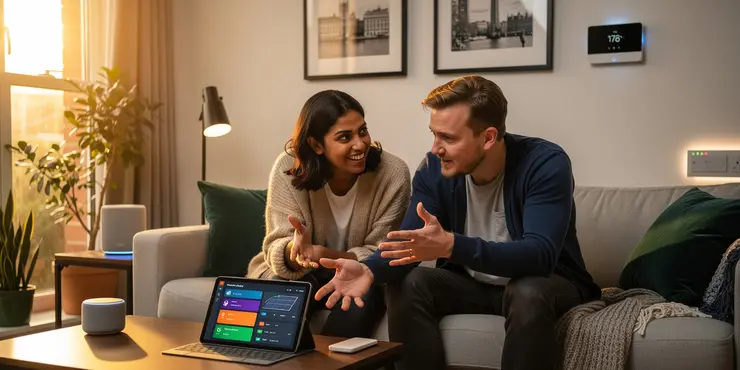
Most solar battery systems connect to a home energy management system or smart hub. This allows the battery, solar inverter, and household devices to communicate with each other. Some setups also link to apps, so you can monitor energy use from your phone.
Smart thermostats, heating controls, EV chargers, and some appliances can be linked to the system. For example, the battery may prioritise powering your home in the evening when solar production has stopped. It can also support charging an electric vehicle at times when electricity is cheaper or when solar output is high.
Benefits for UK homes
One major benefit is better use of the electricity your solar panels generate. Instead of sending excess power back to the grid, you can store it and use it later. This is useful during darker winter months, when solar generation in the UK can be lower.
Another advantage is improved energy control. Smart systems can schedule appliances such as washing machines or dishwashers to run when stored solar energy is available. This may help cut reliance on grid electricity and make your home more energy efficient.
Things to check before installation
Not every battery and smart home system is fully compatible, so it is important to check this before buying. Some products work best within the same brand ecosystem, while others need extra hardware or software to integrate properly. A qualified installer can advise on the best setup for your property.
You should also consider battery size, inverter compatibility, and whether the system supports future upgrades. If you plan to add an EV charger or heat pump later, it is wise to choose equipment that can grow with your home. This helps avoid costly changes later on.
Is it worth it?
For many UK homeowners, combining solar batteries with smart home systems is a practical choice. It can make energy use more efficient, reduce waste, and give you greater control over when power is used. It may also support a lower-carbon lifestyle.
The best results usually come from a well-designed system tailored to your household. If you are considering solar panels, a battery, and smart controls together, speak to a reputable installer. They can help you choose a setup that suits your home and your budget.
Frequently Asked Questions
Solar panel battery smart home system compatibility means the solar panels, battery storage, inverter, and smart home devices can work together safely and efficiently. It matters because compatibility affects energy savings, backup power reliability, automation features, and overall system performance.
You should check voltage, power ratings, battery chemistry, inverter type, communication protocols, smart home platform support, and safety certifications. These factors help ensure the components can communicate properly and operate within the same electrical and software requirements.
Check your panel output, inverter specifications, and whether your current system supports battery storage integration. A solar installer or manufacturer can confirm whether your existing setup can connect to a compatible battery and smart home controller without major upgrades.
Inverters are central to compatibility because they convert DC solar power into AC power and often manage battery charging and home energy flow. Some inverters are hybrid and battery-ready, while others may need replacement or additional equipment for full smart home integration.
Yes, many systems can work with popular smart home platforms if the battery monitor, inverter, or energy management hub supports the needed integrations. You should confirm app compatibility, voice assistant support, and any required third-party gateways before purchasing.
Lithium-ion batteries, especially lithium iron phosphate, are commonly used because they are efficient, durable, and suitable for smart energy management. Some older systems may use lead-acid batteries, but they usually offer less flexibility and shorter lifespan.
Communication protocols determine how devices exchange data and commands. If the battery system uses protocols supported by the inverter or smart home hub, then monitoring, automation, and load control are more likely to work smoothly.
Yes, if the battery capacity, inverter output, and transfer equipment are sized correctly. Whole-home backup depends on matching the system to your home's electrical loads and ensuring the smart home controls can prioritize essential circuits during outages.
Common signs include frequent communication errors, charging limits not being followed, app data not updating, devices disconnecting, or the system refusing to integrate. These issues often point to mismatched hardware, software, or configuration settings.
Smart home automations can schedule appliance use, shift loads to daytime solar production, and reduce battery drain during expensive grid periods. When compatible, these automations improve efficiency and help the system respond automatically to energy conditions.
Professional installation is strongly recommended because electrical, software, and safety requirements can be complex. A qualified installer can verify compatibility, configure settings, and make sure the system complies with local codes and manufacturer requirements.
Compare brand support for hybrid inverters, battery ecosystems, app features, smart home integrations, warranties, and local service availability. Brands with open communication standards and clear compatibility lists are usually easier to integrate.
Battery capacity affects how long your home can run on stored energy and how well the system handles smart load management. If capacity is too small, the battery may not support the automations or backup functions you want.
Yes, but only if the system includes backup-capable hardware and is designed to isolate your home from the grid safely. Some smart features may be limited during outages if internet access or cloud services are unavailable.
Firmware updates can improve device communication, add new smart home features, and fix bugs. However, updates can also change compatibility, so it is important to follow manufacturer guidance and confirm that all components remain supported after updates.
Voltage compatibility, current limits, circuit protection, grounding, and local electrical codes are all important. Systems must be designed so that every component operates within safe electrical ranges and meets regional installation standards.
Yes, when configured well, it can reduce bills by storing excess solar energy, shifting usage away from expensive peak periods, and automating high-energy appliances. Savings depend on local utility rates, system size, and usage patterns.
Start by checking wiring, inverter settings, battery status, app permissions, network connectivity, and firmware versions. If the issue continues, review manufacturer compatibility documents or contact a certified installer for diagnosis.
Yes, new homes can often be designed around compatible equipment from the start, while existing homes may need upgrades to wiring, panels, inverters, or networking. Retrofits can still work well, but they usually require more careful planning.
Ask which components are compatible, what smart home platforms are supported, how the system handles backup power, whether future expansion is possible, and what warranties apply. You should also ask how monitoring, controls, and safety protections will be configured.

Ergsy Search Results
This website offers general information and is not a substitute for professional advice.
Always seek guidance from qualified professionals.
If you have any medical concerns or need urgent help, contact a healthcare professional or emergency services immediately.
Some of this content was generated with AI assistance. We've done our best to keep it accurate, helpful, and human-friendly.
- Ergsy carefully checks the information in the videos we provide here.
- Videos shown by Youtube after a video has completed, have NOT been reviewed by ERGSY.
- To view, click the arrow in centre of video.
- Most of the videos you find here will have subtitles and/or closed captions available.
- You may need to turn these on, and choose your preferred language.
- Go to the video you'd like to watch.
- If closed captions (CC) are available, settings will be visible on the bottom right of the video player.
- To turn on Captions, click settings.
- To turn off Captions, click settings again.